Skip to content

Restaurant Menu QR Code Generator

Point guests straight at your menu with a code that costs nothing, expires never, and sends them to your own website rather than through somebody else's redirect.

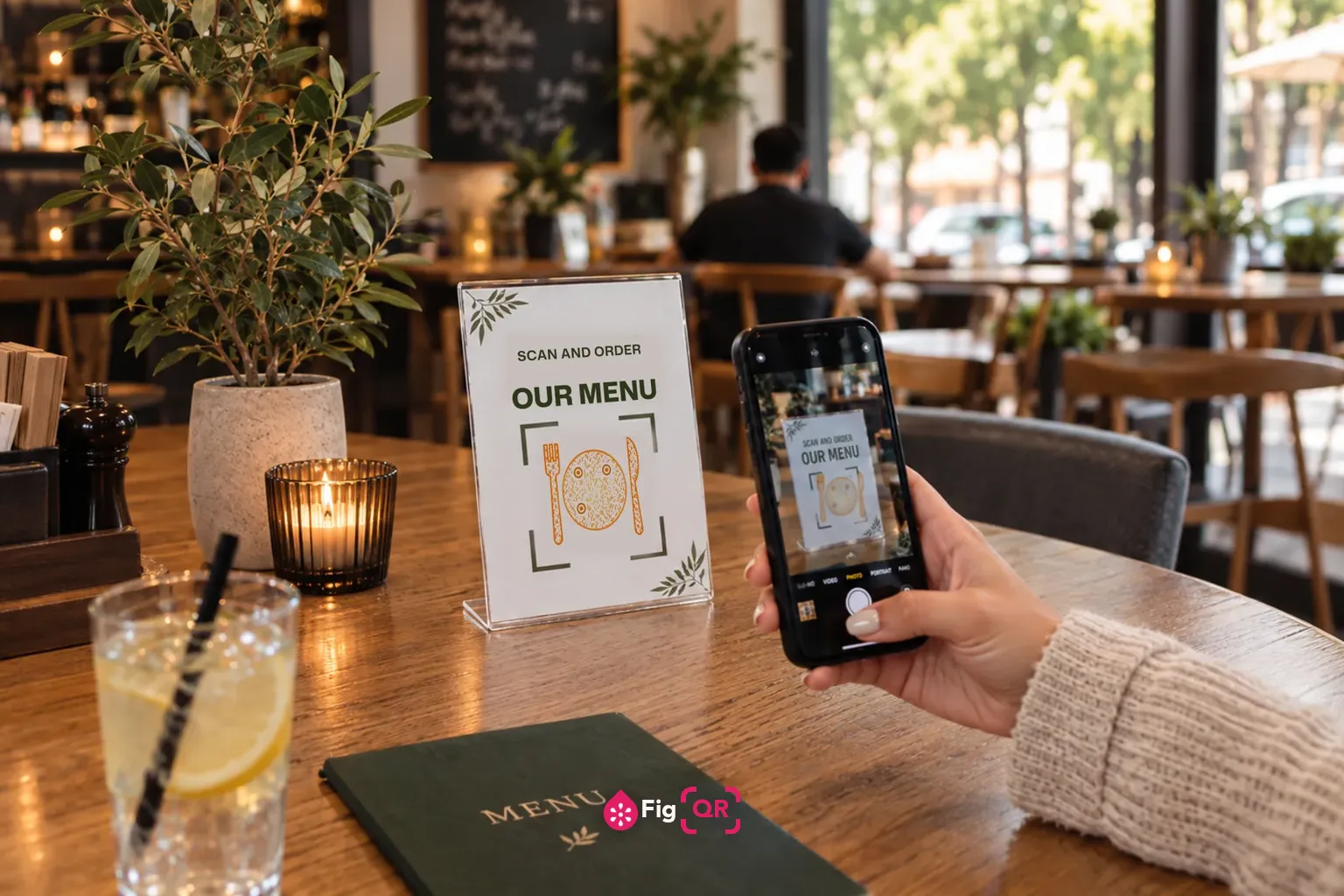
A menu card standing on a café table, printed with SCAN AND ORDER OUR MENU above a QR code drawn as a plate with a fork and knife, while a diner holds a phone up to scan it.

Make one now

1

Add your content

This is what gets encoded — nothing is sent anywhere.

2

Customise

Optional. Every change is re-checked against a real decoder.

Start from a look
ShapesNew
Base colour

Anything below that you leave alone follows this.

Body
Body fill
External eye
External eye fill
Internal eye
Internal eye fill
Background
Background fill

Or start from one of 93 ready-made designs

How to make a restaurant menu QR code

  1. 1

    Put your menu on a stable web address

    Use a permanent URL like yourrestaurant.com/menu that you can update without changing the address.

  2. 2

    Paste that address into the generator

    The link is encoded directly, so no service sits between the code and your menu.

  3. 3

    Download the SVG and print at 3 cm or larger

    Vector keeps the code sharp at table-tent size.

  4. 4

    Laminate or seal the print

    Table codes meet water, oil and fingers. Unprotected paper stops scanning within weeks.

On this page

The thing most people get wrong about static codes

The usual objection to a permanent QR code is that a menu changes and the code cannot. That misunderstands what the code holds.

The code contains a web address, not a menu. Point it at something stable —yourrestaurant.com/menu — and you can rewrite the page every morning. The address stays the same, so every printed code keeps working. You would only reprint if the address itself changed, and there is no reason to let it.

This is why paid dynamic codes are usually unnecessary here. They sell you the ability to change the destination; you already have it, because you own the destination.

This is the difference between a menu code people use and one they resent. A PDF opens as a fixed-size document: the text is tiny, and reading it means pinching, dragging and losing your place. On a phone, at a table, in dim light, it is genuinely unpleasant.

A plain web page reflows to the screen. If you can only manage a PDF, at least:

  • Lay it out in a single column at phone proportions, not A4.
  • Set the body text around 16pt so it is readable without zooming.
  • Keep it to one file — split menus mean back-and-forth navigation.

Printing and placement

Codes on tables live a harder life than codes anywhere else. They get splashed, wiped, leaned on and picked at.

  1. Print at 3 cm or larger. Scanning distance is roughly ten times the width, so 3 cm covers arm's length. Wall or window codes need far more.
  2. Laminate or seal it. Unprotected paper on a restaurant table stops scanning within weeks — oil and water are enough to defeat the contrast.
  3. Dark code on a light background. Printing onto dark wood, patterned card or a photograph is the most common reason a code fails.
  4. Keep the quiet zone. The blank margin is part of the code. Do not let a border or logo encroach on it.
  5. Put it where people sit. A code only on the door is useless once someone is at a table.

Say what it is

A bare square tells nobody anything. Two words — "Scan for menu" — measurably improves how many people use it. Add a short written address as a fallback for anyone whose camera will not cooperate.

Keep paper menus

Not everyone carries a phone, has battery left, has data, or can comfortably read a small screen. In several jurisdictions, offering no alternative creates accessibility problems. The code should be the fast path, not the only path.

Why not use a QR service that tracks scans

Because you can already see the numbers. The code sends people to your own page, so your existing website analytics counts every visit — with no third party in the middle that can rate-limit you, change the destination, or switch the code off when a subscription lapses.

Restaurants are the group hit hardest by expiring codes: the code is printed onto table tents, laminated menus and window decals, and reprinting all of it because a trial ended is a real cost for no benefit.

Common questions

If the code is static, how do I change my menu?

You change the page, not the code. The QR code points at a web address you control — say yourrestaurant.com/menu. Update what lives at that address and every printed code shows the new menu instantly. The code only needs reprinting if the address itself changes, which it should not.

Should I link a PDF or a web page?

A web page, almost always. A PDF opens as a fixed-size document that has to be pinched and dragged on a phone, which is the single most common complaint about menu codes. If a PDF is your only option, make it single-column with large text rather than a print layout scaled down.

How big should the code be on a table tent?

Around 3 cm across for a code read at arm’s length. The rule of thumb is that scanning distance is roughly ten times the code’s width, so 3 cm covers about 30 cm. A code by the door meant to be scanned from two metres needs to be nearer 20 cm.

Do I still need paper menus?

Yes. Not everyone has a phone with them, a charged battery, a data plan, or the eyesight to read a small screen. In several jurisdictions refusing to provide an alternative raises accessibility problems. Treat the code as a convenience, not a replacement.

Why did people dislike menu QR codes so much?

Because most of them were done badly — codes that opened a PDF designed for A4 paper, or that routed through a tracking service, or that broke when a subscription lapsed. The format was blamed for the implementation. A code that opens a fast, mobile-first page is genuinely useful.

Can I see how many people scanned it?

Not from the code, because scans never touch our servers. You can see the visits in whatever analytics your website already uses, since the code sends people straight to your own page. That gives you the number without handing your menu to a third party that can switch it off.

Other QR codes you can make